Setup guide · about 15 min
AI Lead Responder: setup guide
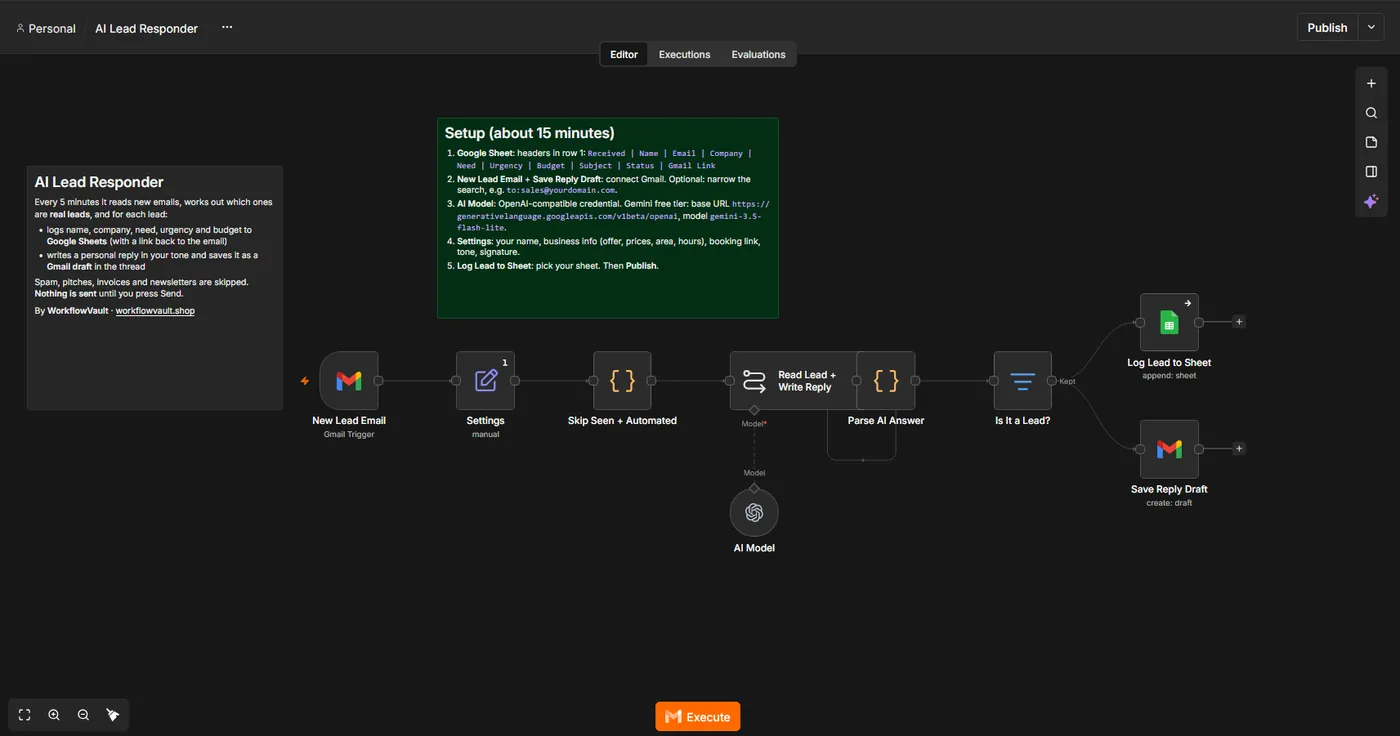
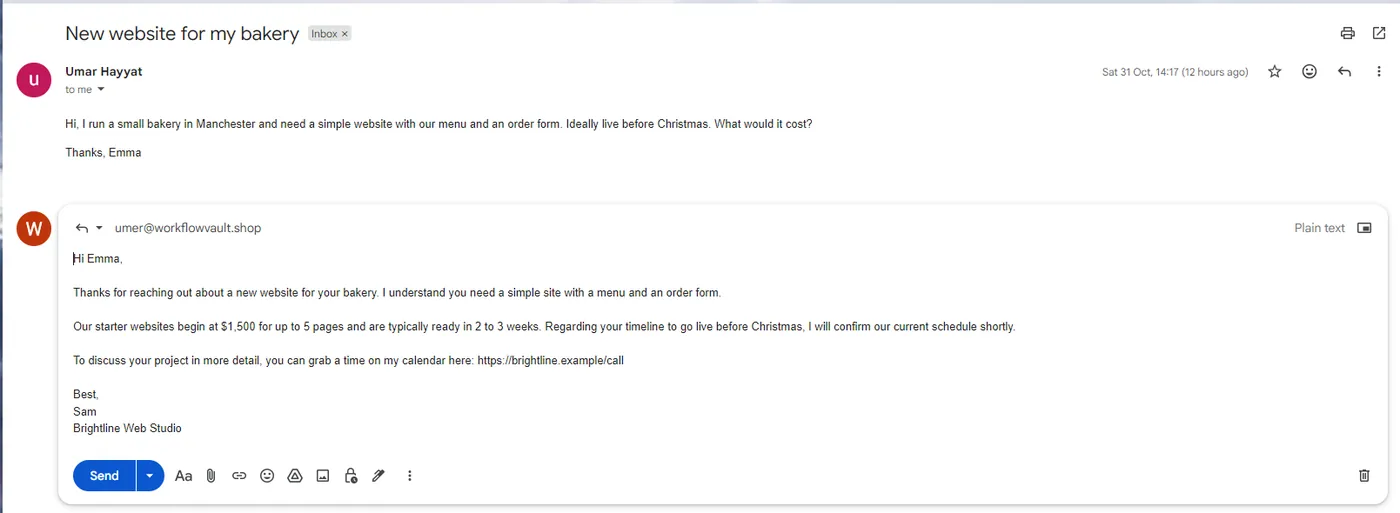
Every 5 minutes it reads new emails. The AI decides which ones are real leads, pulls out name, company, need, urgency and budget as clean JSON, logs them to Google Sheets and writes a personal reply in your tone, saved as a Gmail draft. It only uses your business info and never invents prices or dates.
How it works
STEP 01
Import the workflow
In n8n open Overview → Create Workflow, then the ⋯ menu (top right) → Import from File and pick the .json file. Sticky notes on the canvas repeat the key steps.
STEP 02
Create the leads sheet
Headers in row 1: Received Name Email Company Need Urgency Budget Subject Status Gmail Link. Then pick the sheet in Log Lead to Sheet.
STEP 03
Connect Gmail
Use the same Gmail credential in New Lead Email and Save Reply Draft. Optional: narrow the search, e.g. to:sales@yourdomain.com.
Self-hosted n8n? Google sign-in needs your own OAuth app: in Google Cloud Console create a project, enable the API (Gmail and/or Sheets + Drive), set up the consent screen with yourself as a test user, and create a Web application OAuth client with redirect URI https://YOUR-N8N-URL/rest/oauth2-credential/callback. Paste the Client ID and Secret into the n8n credential.
STEP 04
Connect the AI
Open AI Model and create an OpenAI credential. Gemini free tier: base URL https://generativelanguage.googleapis.com/v1beta/openai, model gemini-3.5-flash-lite, Responses API off. OpenAI: your key, model gpt-5-mini.
STEP 05
Describe your business
In Settings: yourName, business (offer, starting prices, area, hours), bookingLink, tone and signature. The more specific, the better the replies.
STEP 06
Publish
Click Publish. Then send yourself a test enquiry from another address.
Troubleshooting
A real lead was skipped
It must be unread, in the inbox and not from you. Describe who your customers are in business so the AI recognises them.
Replies sound generic
Add prices, packages and examples to business. The AI only knows what you write there.
AI Model error 404
Check the Base URL and model ID.
Need help?
Email hello@workflowvault.shop with a screenshot of the node and the error. Want it installed for you? Ask for a Template install.