Setup guide · about 10 min
Appointment Reminders: setup guide
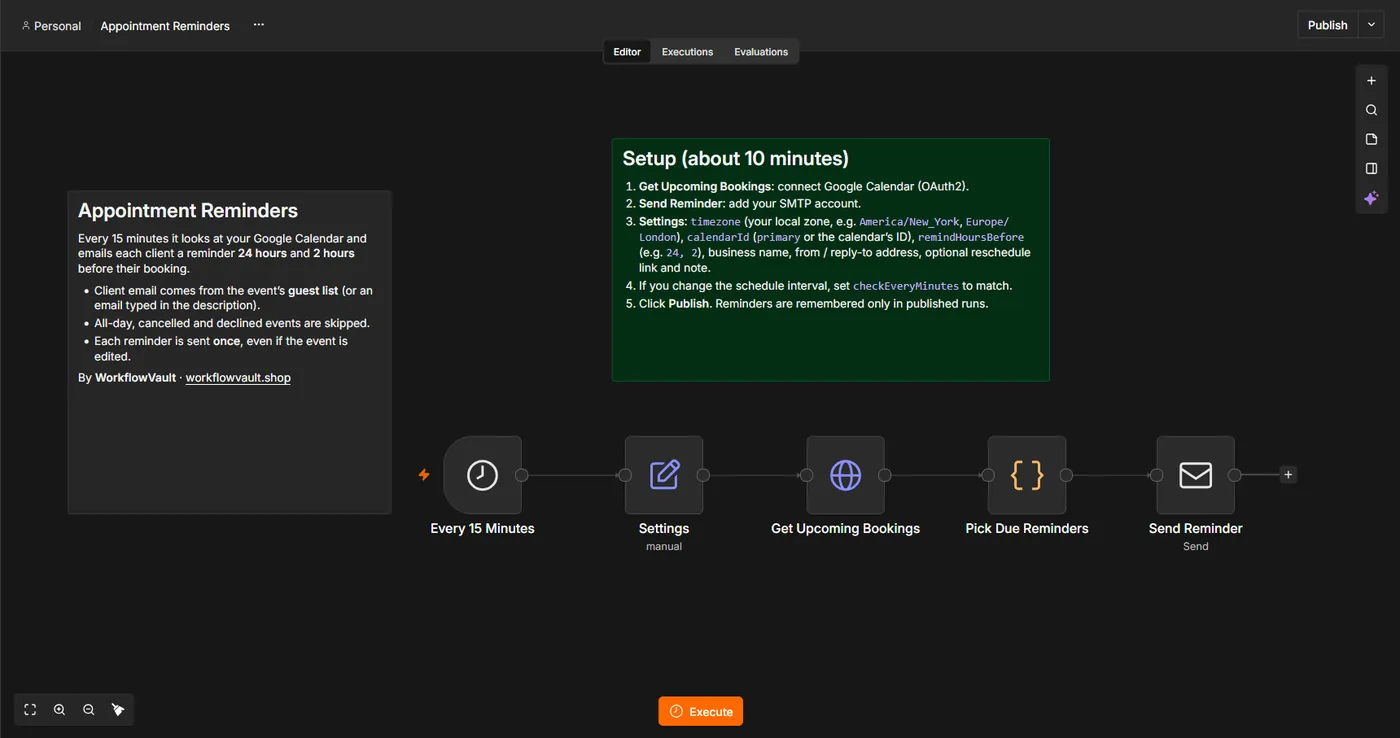
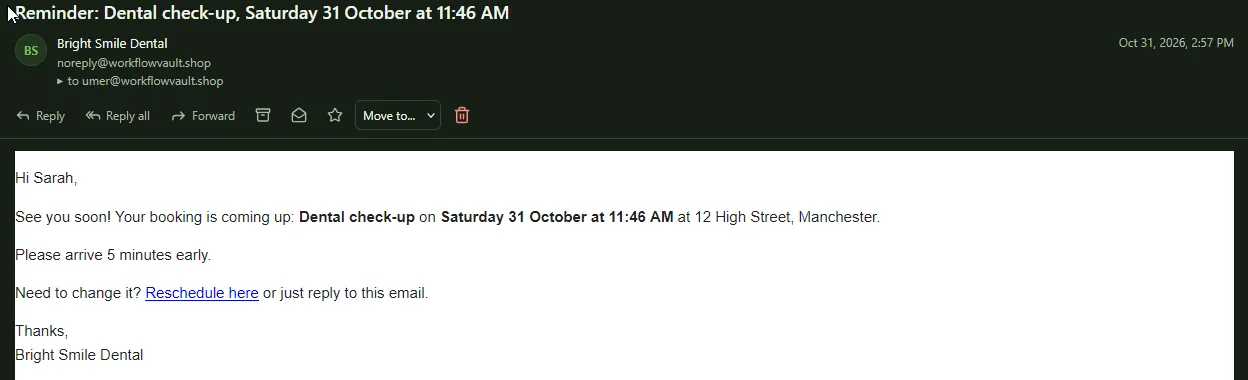
It reads upcoming bookings from Google Calendar and emails each client a reminder 24 hours and 2 hours before (you choose). The client's email comes from the event's guest list or an email typed in the description, so it works with any booking tool that writes to Google Calendar. Each reminder is sent once.
How it works
STEP 01
Import the workflow
In n8n open Overview → Create Workflow, then the ⋯ menu (top right) → Import from File and pick the .json file. Sticky notes on the canvas repeat the key steps.
STEP 02
Connect Google Calendar
Enable the Google Calendar API in your Google Cloud project, then create a Google Calendar OAuth2 credential in Get Upcoming Bookings.
Self-hosted n8n? Google sign-in needs your own OAuth app: in Google Cloud Console create a project, enable the API (Gmail and/or Sheets + Drive), set up the consent screen with yourself as a test user, and create a Web application OAuth client with redirect URI https://YOUR-N8N-URL/rest/oauth2-credential/callback. Paste the Client ID and Secret into the n8n credential.
STEP 03
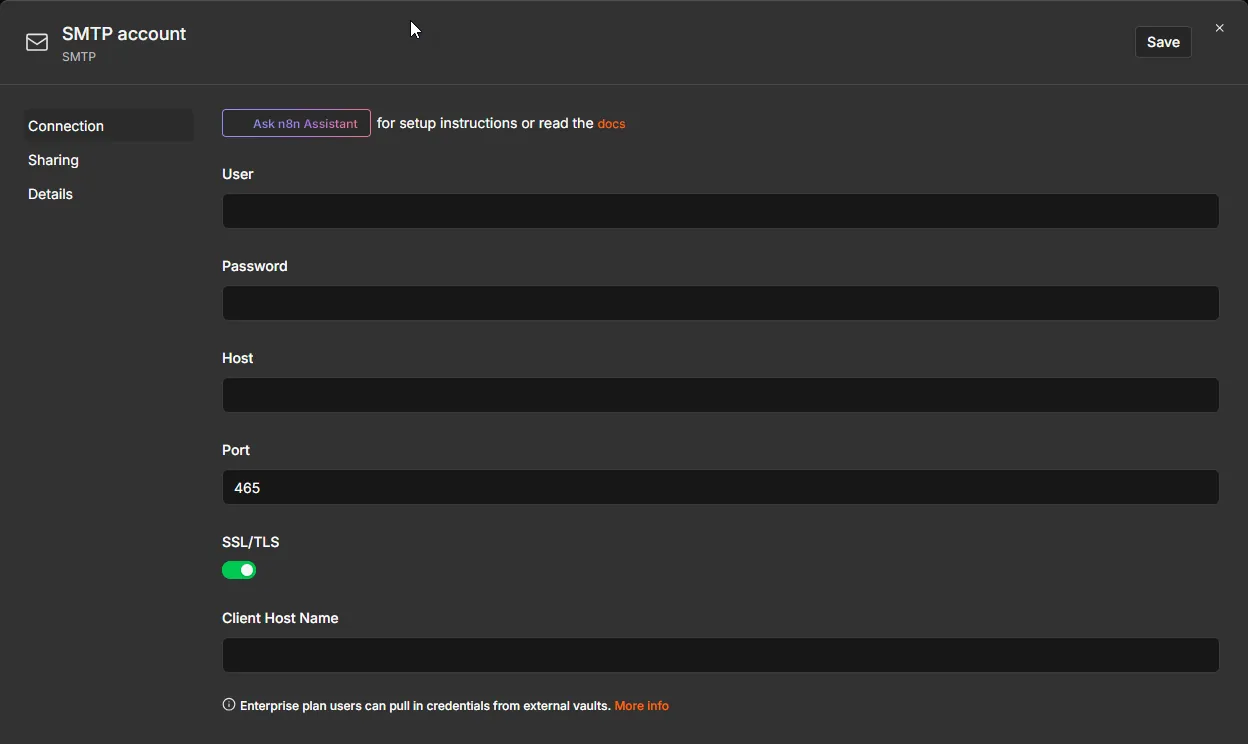
Connect your email (SMTP)
Open Send Reminder and add an SMTP credential.
Click Create credential, search SMTP and fill in your provider's details:
| Field | Gmail | Outlook / Microsoft 365 | Your own domain |
|---|---|---|---|
| Host | smtp.gmail.com | smtp.office365.com | from your email host |
| Port / SSL | 465, SSL on | 587, SSL off (STARTTLS) | usually 465 + SSL |
| Password | an App password | password or app password | mailbox password |
STEP 04
Fill in Settings
| Field | Example |
|---|---|
| timezone | America/New_York, Europe/London |
| calendarId | primary |
| remindHoursBefore | 24, 2 |
| businessName, fromEmail, replyTo | your details |
| rescheduleLink, extraNote | optional |
STEP 05
Publish
Click Publish. If you change the schedule, set checkEveryMinutes to match.
What you'll see
Troubleshooting
No reminder was sent
The event needs a guest email (or one in its description), a start time (not all-day), and must start inside the reminder window.
Wrong time in the email
Set timezone in Settings to your local zone.
SMS or WhatsApp?
Add a messaging node after Pick Due Reminders.
Need help?
Email hello@workflowvault.shop with a screenshot of the node and the error. Want it installed for you? Ask for a Template install.