WorkflowVault

Sales & email · n8n template

Appointment Reminders: n8n workflow that emails clients before every booking

No-shows cost money. This workflow reads your Google Calendar, finds the client's email on each booking and sends a friendly reminder a day before and again two hours before, in your own words.
How the workflow runs

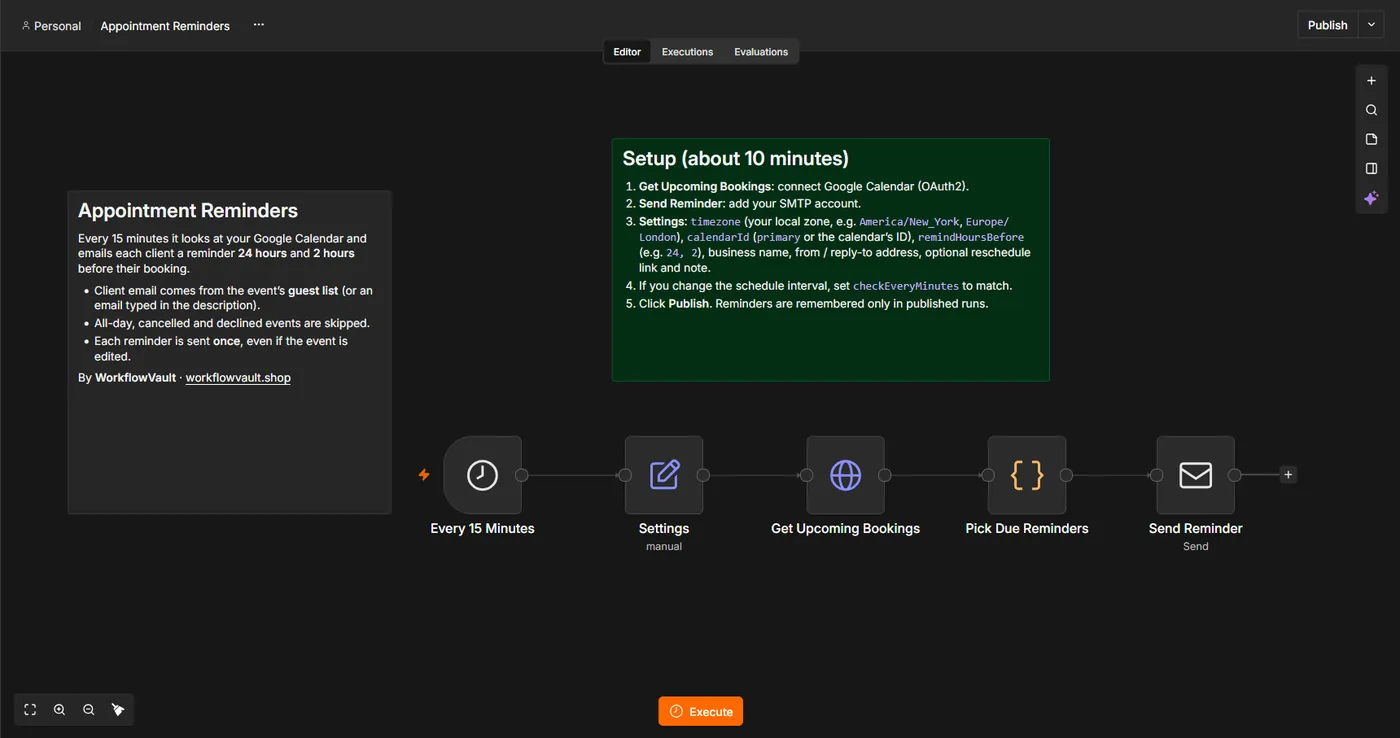
  1. ScheduleChecks your calendar every 15 minutes.
  2. Find bookingsPicks events starting in about 24 hours or 2 hours that have a client email.
  3. Skip duplicatesRemembers which reminders were already sent.
  4. EmailSends your reminder with date, time, place and a reschedule link.

What you get

  • Two reminders per booking, sent automatically
  • Your wording, business name and links
  • Never sends the same reminder twice
  • Works with any calendar booking tool that writes to Google Calendar

What you need

  • n8n (Cloud or self-hosted)
  • Google Calendar
  • Gmail or any SMTP email

See the workflow

Every 15 minutes: read the calendar, pick the due reminders, email them.

Read the full setup guide

Set up in about 10 min

  1. Get the fileDownload the .json workflow and setup guide.
  2. ImportIn n8n, open a new workflow and choose Import from File.
  3. ConnectAdd your own accounts where the sticky notes point.
  4. ActivateRun once to test, then publish. It keeps running on its own.

Questions

Where does the client's email come from?

From the event's guest list, or an email typed in the event description.

Can I send SMS or WhatsApp instead?

Yes, swap or add a messaging node. Email works out of the box.

More from the vault

LD
Sales & email

AI Lead Responder

Reads every new lead email, logs it to Google Sheets and drafts a personal reply in your tone. You review and send.

Gmail→AI Agent→Sheets→Draft
GM
Sales & email

Gmail AI Reply Drafts

Creates a draft reply for incoming emails that match your filter, so your inbox has answers waiting.

Gmail→AI→Draft
FB
Sales & email

Customer Feedback AI Triage

Sorts every piece of customer feedback with AI, logs it to Google Sheets and alerts you instantly about unhappy customers.

Form→AI triage→Sheets→Alert
$19
DetailsComing soon