Setup guide · about 10 min
Customer Feedback AI Triage: setup guide
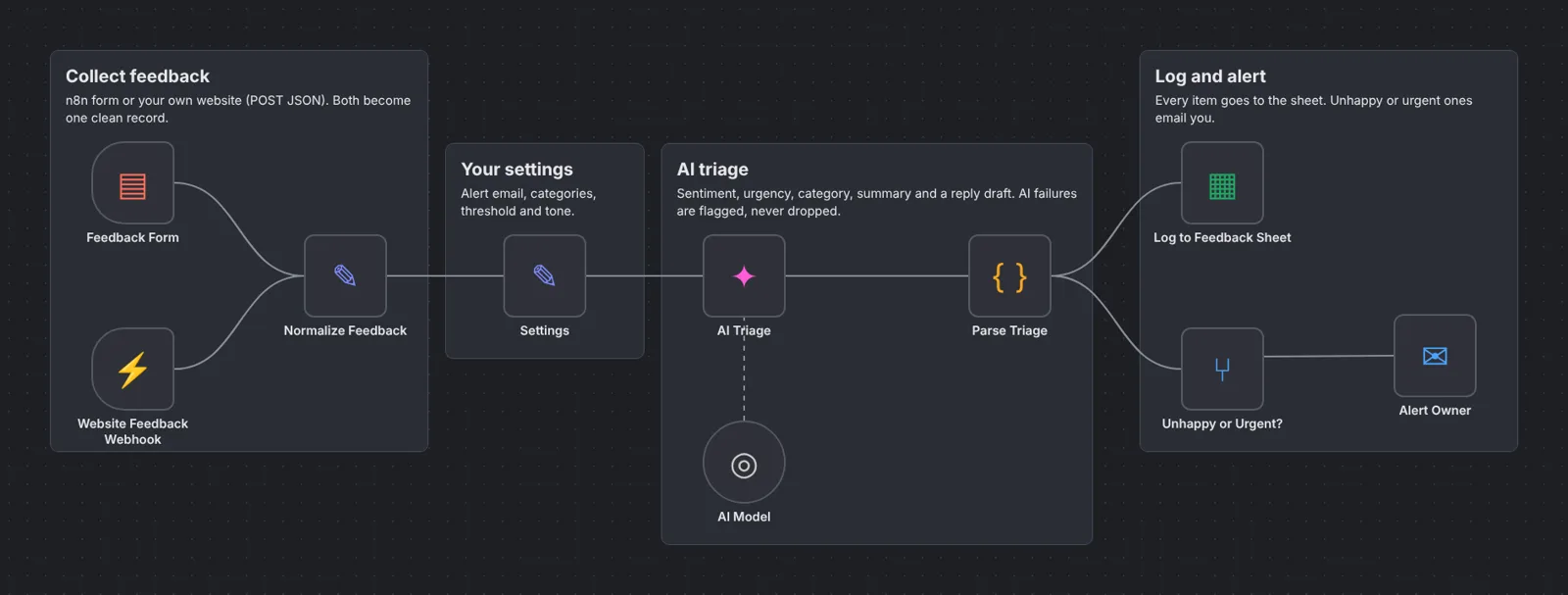
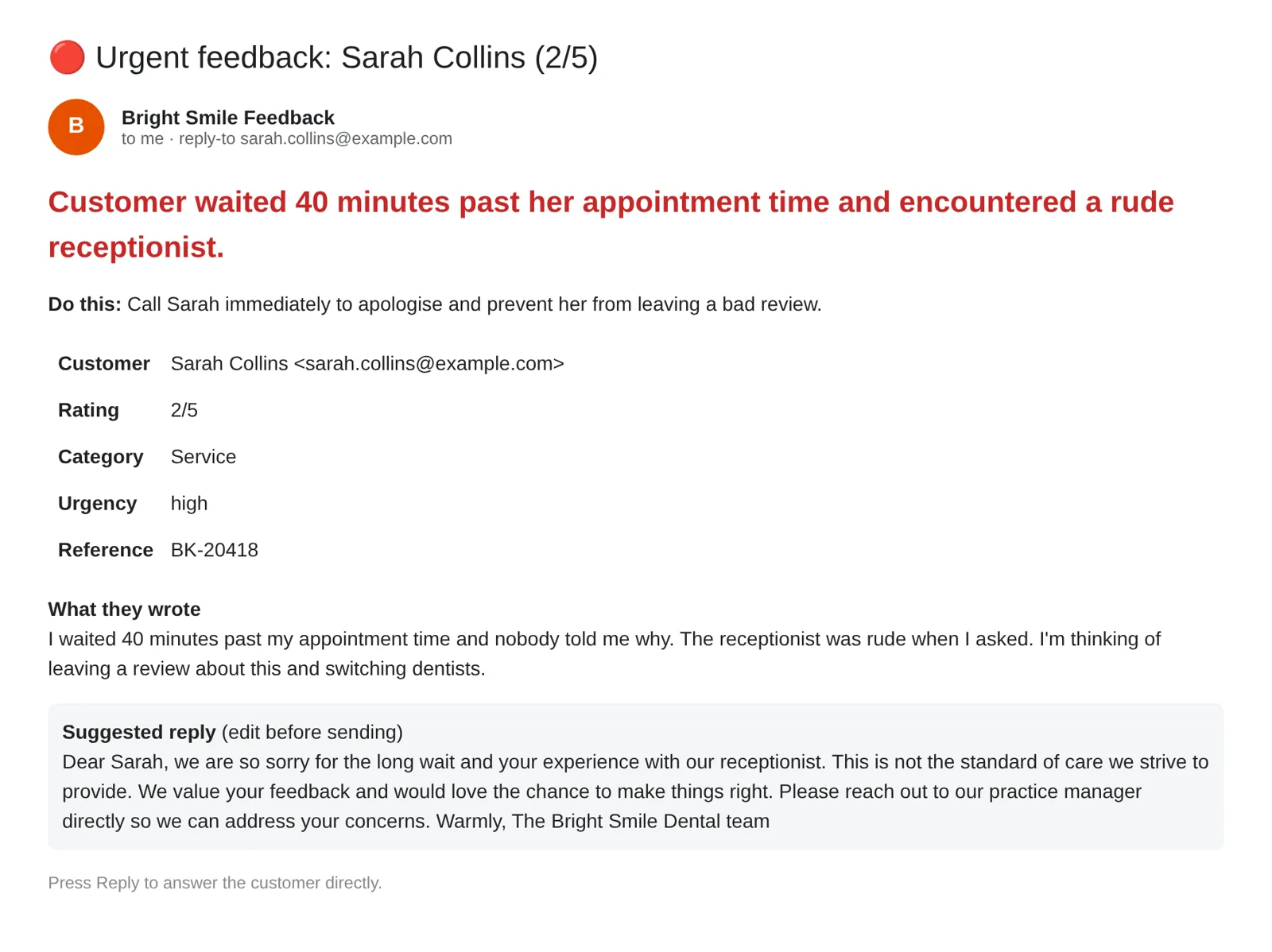
Feedback arrives from the built-in n8n form or from your own website (POST JSON to the webhook). The AI scores sentiment, urgency and category, writes a one-line summary, the next action and a reply draft. Every item goes to your sheet; negative, urgent or low-rated feedback (alertAtOrBelowRating, default 2) also emails you. If the AI fails, the feedback is still logged and flagged.
How it works
STEP 01
Import the workflow
In n8n open Overview → Create Workflow, then the ⋯ menu (top right) → Import from File and pick the .json file. Sticky notes on the canvas repeat the key steps.
STEP 02
Create the feedback sheet
Tab name Feedback, headers in row 1: Received Name Email Rating Sentiment Urgency Category Summary Action Needed Feedback Reference Source Suggested Reply Status.
STEP 03
Connect Google Sheets, AI and email
A Google Sheets credential in Log to Feedback Sheet (pick your sheet), an OpenAI credential in AI Model (Gemini free tier: base URL https://generativelanguage.googleapis.com/v1beta/openai, model gemini-3.5-flash-lite) and an SMTP credential in Alert Owner.
Self-hosted n8n? Google sign-in needs your own OAuth app: in Google Cloud Console create a project, enable the API (Gmail and/or Sheets + Drive), set up the consent screen with yourself as a test user, and create a Web application OAuth client with redirect URI https://YOUR-N8N-URL/rest/oauth2-credential/callback. Paste the Client ID and Secret into the n8n credential.
STEP 04
Fill in Settings
Business name, alertTo, alertFrom, your categories, alertAtOrBelowRating and replyTone.
STEP 05
Publish and share the form
Click Publish, copy the Feedback Form Production URL and share it. Or POST { name, email, rating, message, reference } from your site to the webhook's Production URL. Test with one happy and one angry message: both are logged, only the angry one alerts you.
What you'll see

Troubleshooting
No alert email
Check the SMTP credential and alertFrom. Happy feedback above your threshold doesn't alert, by design.
Summary says the AI could not read it
Check the AI base URL, model and key. The feedback is still saved.
Website posts don't arrive
Use the Production URL, publish the workflow and send Content-Type: application/json.
Need help?
Email hello@workflowvault.shop with a screenshot of the node and the error. Want it installed for you? Ask for a Template install.