Setup guide · about 15 min
Polite Invoice Chaser: setup guide
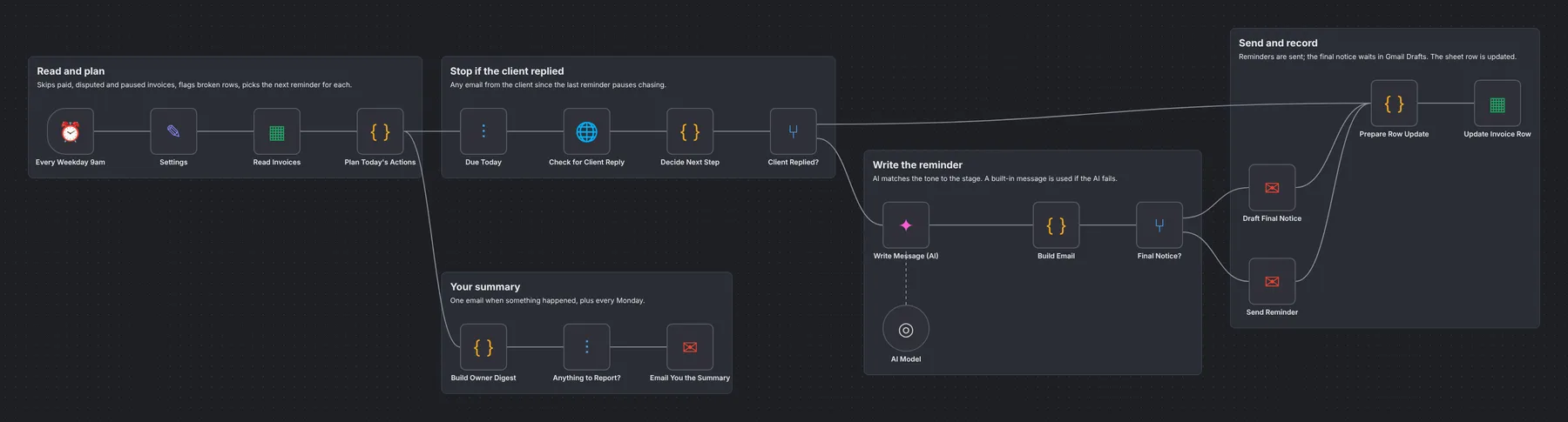
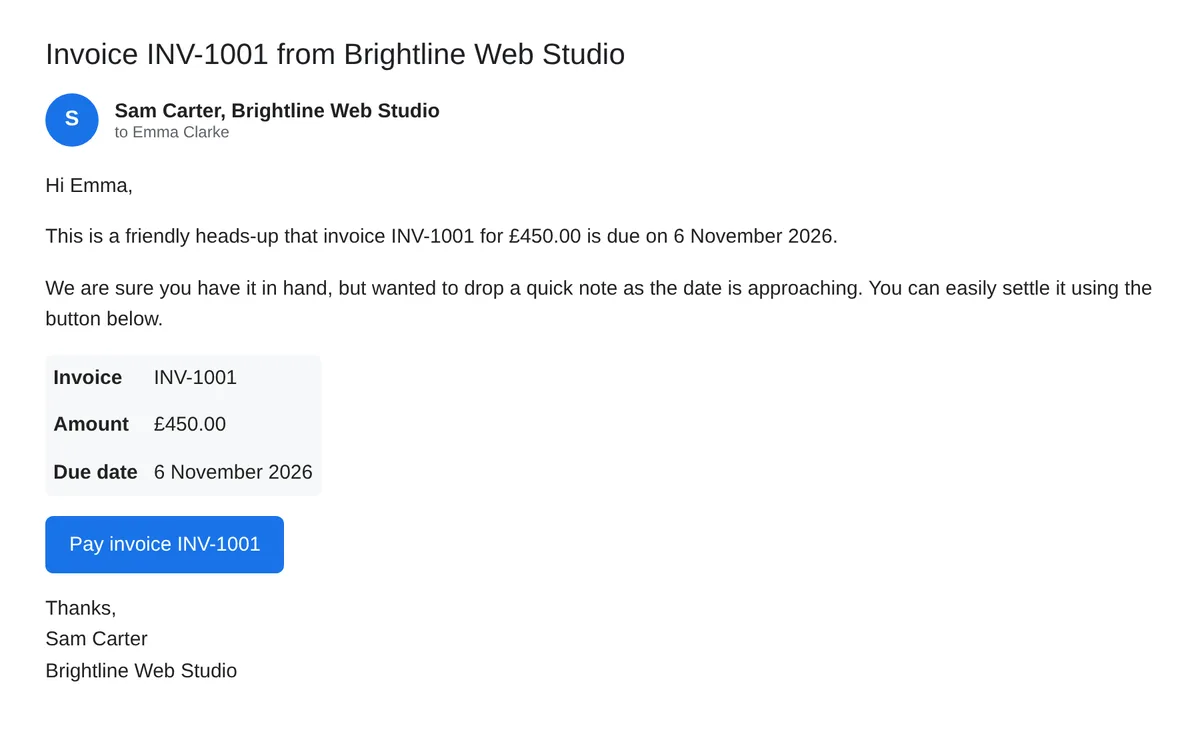
Every weekday at 9am it reads your Invoices sheet and works out the next step for each row. The reminder ladder comes from one setting (reminderDays, default -3, 1, 7, 14 days from the due date). Before sending, it checks Gmail for any email from the client since the last reminder and pauses if there is one. The AI writes each reminder in the right tone; if it fails, a built-in message is used. On finalNoticeDay a final notice is saved to Gmail Drafts for you to send.
How it works
STEP 01
Import the workflow
In n8n open Overview → Create Workflow, then the ⋯ menu (top right) → Import from File and pick the .json file. Sticky notes on the canvas repeat the key steps.
STEP 02
Create the invoice sheet
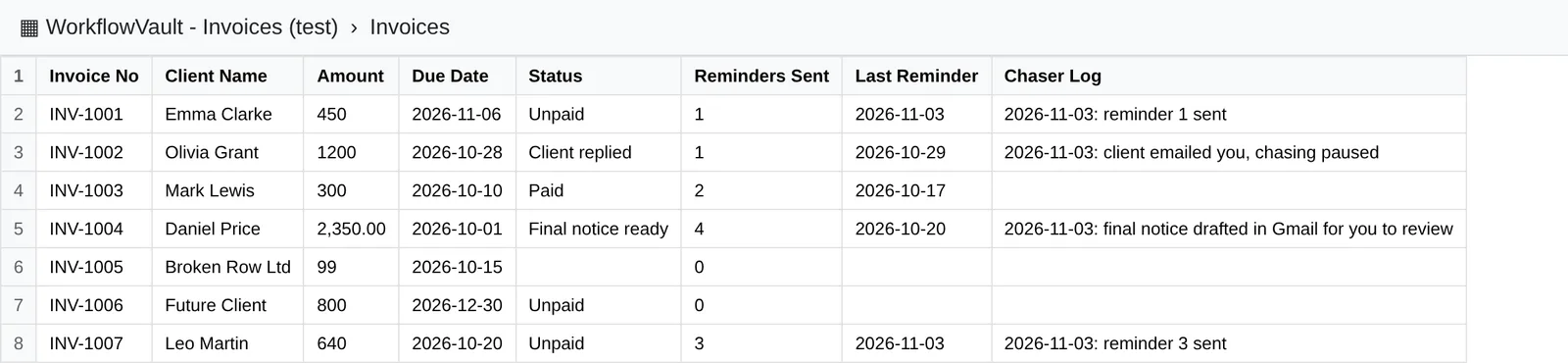
Tab name Invoices, headers in row 1: Invoice No Client Name Client Email Amount Currency Due Date Status Reminders Sent Last Reminder Thread ID Payment Link Chaser Log. Leave Status empty or Unpaid and Reminders Sent at 0.
STEP 03
Connect Gmail and Google Sheets
One Gmail credential in Check for Client Reply, Draft Final Notice, Send Reminder and Email You the Summary. One Google Sheets credential in Read Invoices and Update Invoice Row; pick your sheet in both.
Self-hosted n8n? Google sign-in needs your own OAuth app: in Google Cloud Console create a project, enable the API (Gmail and/or Sheets + Drive), set up the consent screen with yourself as a test user, and create a Web application OAuth client with redirect URI https://YOUR-N8N-URL/rest/oauth2-credential/callback. Paste the Client ID and Secret into the n8n credential.
STEP 04
Connect the AI
An OpenAI credential with your key. Gemini free tier works (base URL https://generativelanguage.googleapis.com/v1beta/openai, model gemini-3.5-flash-lite).
STEP 05
Fill in Settings, test, Publish
Business and sender name, your email for the summary, time zone, reminderDays, finalNoticeDay and dateFormat (DD/MM/YYYY or MM/DD/YYYY). Add one invoice with your own email as the client, click Execute Workflow, check the email and the row, then click Publish.
What you'll see
Troubleshooting
A reminder wasn't sent
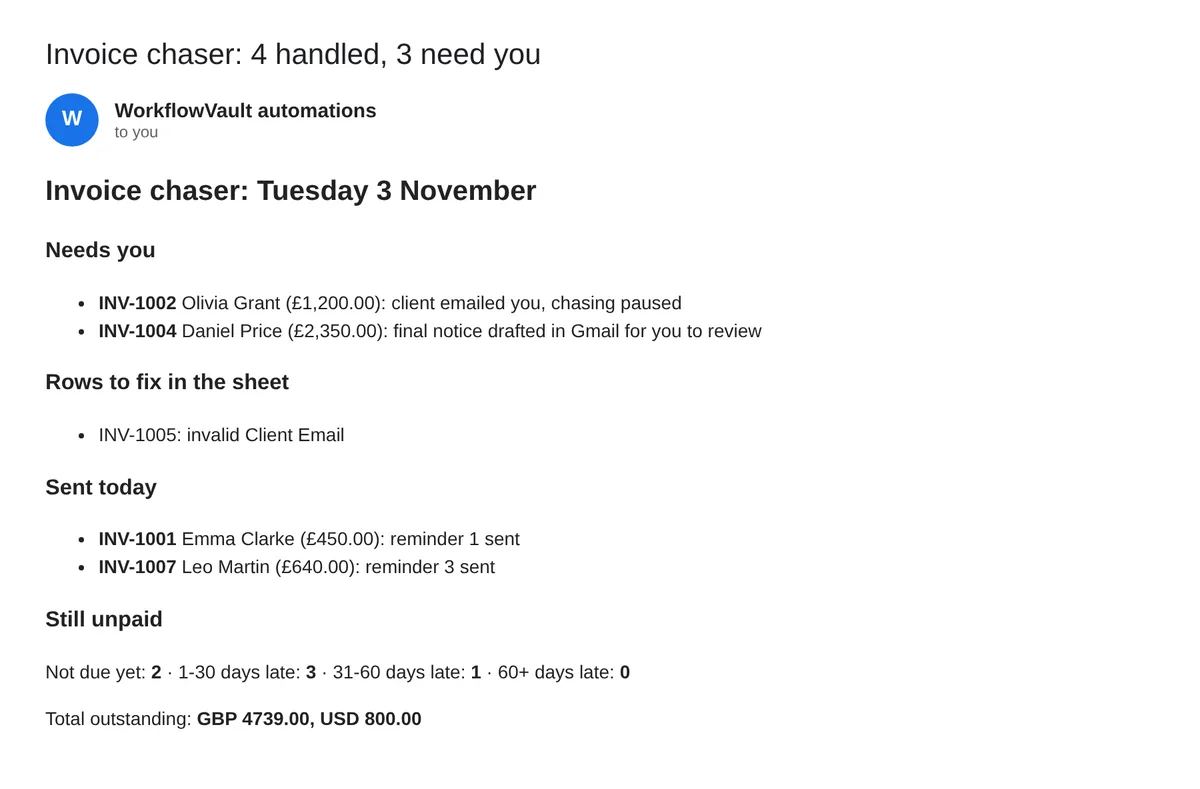
Check the row has a valid email, an amount above 0 and a due date. Broken rows are listed in your summary.
It paused but the client wrote about something else
Any email from that address pauses chasing, to be safe. Set Status back to Unpaid to resume.
The client paid
Set Status to Paid. Disputed or Paused also stop it.
Need help?
Email hello@workflowvault.shop with a screenshot of the node and the error. Want it installed for you? Ask for a Template install.