Websites · Guide
Free Uptime Monitoring: Get Notified When Your Website Is Down
Quick answer
Use a scheduled check that requests each of your web pages every few minutes, records the status code and response time, remembers the last result, and emails you only when a site changes from up to down or back to up. Free tools or a free n8n workflow can do this without a paid monitoring plan.
Your website can go down for many reasons: an expired domain, a hosting outage, a broken plugin update, an SSL certificate that did not renew. The worst way to find out is from a customer, or not at all. Uptime monitoring is a small, cheap safety net that tells you within minutes.
What uptime monitoring actually checks
A monitor visits your page on a schedule, just like a browser would, and looks at the answer:
- Status code: 200 means OK. Codes in the 500s mean the server has a problem; 404 means the page is missing.
- Response time: a page that suddenly takes 10 seconds is often about to fail.
- Optional content check: some monitors also look for a word on the page, which catches "blank page" errors that still return 200.
Which pages to monitor
Not just the homepage. Add the pages that make you money: your booking page, contact form, online shop checkout and any client sites you look after. Each one is a separate URL in your list.
How often to check
Every 5 minutes is a good balance for a small business. Every minute is overkill for most sites; every hour means you could be down for 59 minutes before you know.
Avoid alert spam
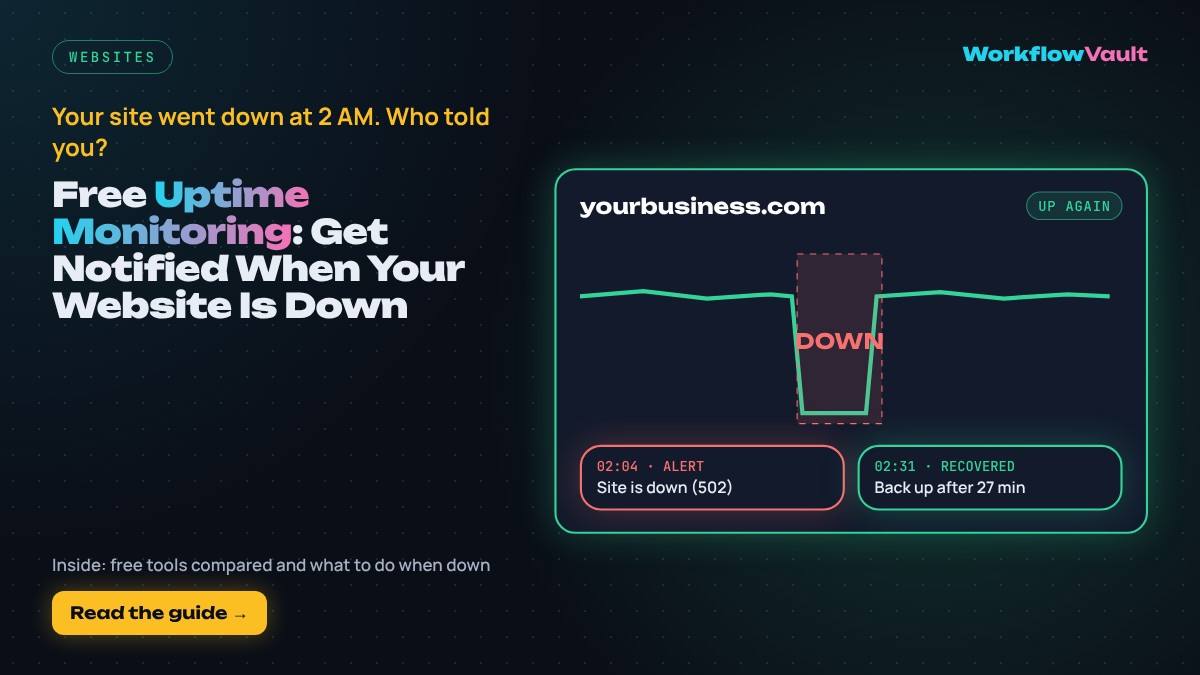
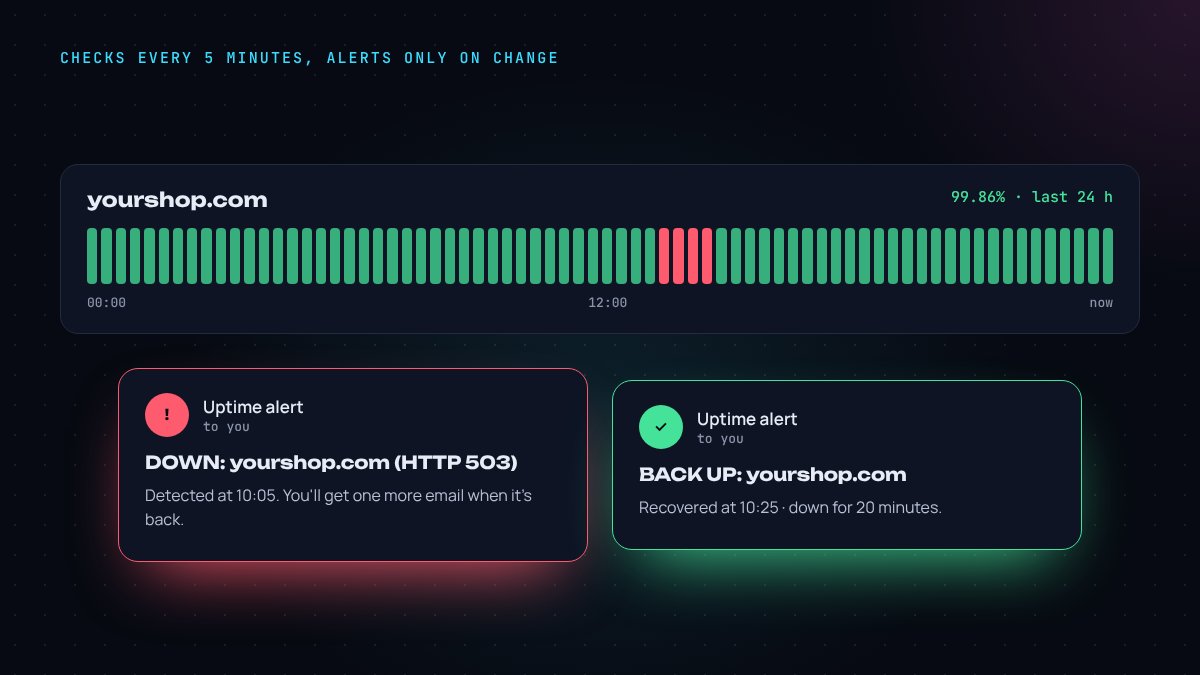
A badly set-up monitor emails you every 5 minutes for as long as the site is down. You will start ignoring it. A good monitor remembers the last state and sends just two messages: one when the site goes down, and one when it is back, with how long it was down.
How to get notified when your website is down
A good website down alert answers three questions in one short email: which site, what went wrong (no response, a 500 error, a timeout) and when it started. Set it up like this:
- Pick where alerts go: an inbox you actually read on your phone. Email is free and works everywhere; add a chat or WhatsApp message if you need to see it within minutes.
- Alert on the change, not every check: one "down" message, then one "back up" message with how long it was down.
- Confirm before alerting: wait for two failed checks in a row, so a single slow response at night does not wake you up.
- Include the status code: 5xx means the server or host, 4xx usually means a broken page or redirect, no response often means DNS or hosting.
| What the alert says | Usually means | First thing to check |
|---|---|---|
| No response / timeout | Hosting down or DNS problem | Your host's status page, domain renewal |
| 500, 502, 503 | Server or app error | Hosting dashboard, recent updates or plugins |
| 404 | Page removed or URL changed | Recent site edits, redirects |
| SSL error | Certificate expired | Certificate renewal in your hosting panel |
Free options
Several monitoring services have free plans with a limited number of monitors and longer check intervals, and they are a fine start. If you already run n8n, you can monitor as many sites as you like at no extra cost, at any interval, and send alerts to email, Slack or WhatsApp.
How to build an uptime monitor in n8n
- Schedule trigger every 5 minutes.
- A list of URLs in a settings node or a Google Sheet.
- HTTP Request to each URL, with a timeout of around 10 seconds and errors captured instead of stopping the workflow.
- Compare with the last saved state for that URL.
- Email only on a change: down, or recovered.
Free template
Website Uptime Monitor
Checks your sites every 5 minutes and sends one email when a site goes down and one when it is back. Set up in about 5 minutes.
Free website uptime monitoring tools compared
| Option | Free plan | Check interval | Best for |
|---|---|---|---|
| UptimeRobot | Yes, about 50 monitors | 5 minutes | Quick setup with no server |
| Better Stack (Uptime) | Yes, limited monitors | 3 minutes | A public status page as well |
| Freshping / similar SaaS | Yes, limited | 1 to 5 minutes | Teams that want a dashboard |
| Self-hosted n8n workflow | Free, unlimited URLs | Any schedule | Full control, custom alerts, logs in Google Sheets |
Free plans change often, so check each provider's current limits. The trade-off is simple: a hosted tool is the fastest to start, while your own workflow costs nothing per site, can watch as many pages as you like, and can alert you in exactly the way you want (email, chat, a sheet log) with your own wording.
What to do when your website is down
When the "website is down" alert arrives, work through this list before you panic:
- Check it from another network. Open the site on your phone with Wi-Fi off. If it loads, the problem may be your local connection.
- Look at the status code in the alert. A 5xx code points to the server or hosting; a timeout often means the host is overloaded or down; 404 means a page was removed or moved.
- Check your domain and SSL. Expired domains and certificates are the most common avoidable outages. Your registrar and hosting dashboard show both dates.
- Check your host's status page. Most hosting companies publish incidents; if they have one, you only need to wait.
- Undo the last change. A plugin update, theme change or DNS edit just before the outage is the usual suspect.
Your monitor sends a second email when the site is back, so you know when to stop checking and how long the outage lasted.
One more tip: monitor from outside
If your monitor runs on the same server as your website, it goes down with the site and cannot warn you. Run it somewhere else, such as n8n Cloud or a different server, so it can see the problem.
Frequently asked questions
How do I get notified when my website goes down?
Use an uptime monitor that checks your site every few minutes and sends you an email (or chat message) when it stops responding, and another when it is back. Free n8n templates and free monitoring plans both do this.
How can I monitor my website for free?
Use a free monitoring service plan or a free n8n workflow that checks your pages every few minutes and emails you when a site goes down and when it recovers.
How often should I check my website uptime?
Every 5 minutes is enough for most small businesses.
Why do I get too many downtime alerts?
Your monitor is alerting on every failed check. Use one that remembers the last state and only alerts when it changes.
Can I monitor more than one website?
Yes. Add each URL to the list; the free n8n template checks all of them on the same schedule.
Templates for this job
Want it built around your exact tools? Custom n8n workflows from $150.