Leads · Guide
How to Find Local Business Leads for Free (With OpenStreetMap and n8n)
Quick answer
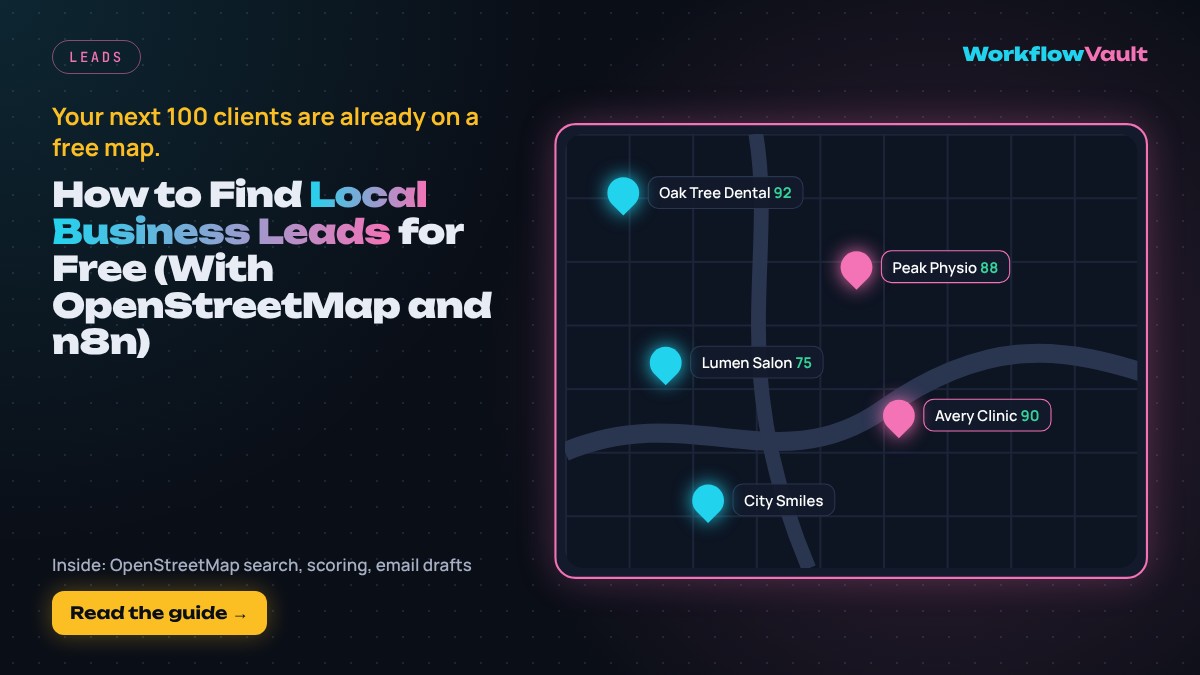
Pick one niche and one city, pull the businesses from OpenStreetMap (free, no API key), keep only those with a website, read each website for a contact email, skip chains and anyone already on your list, and save the rest to a Google Sheet. An n8n workflow can do all of this every weekday and even draft a first email for you to review.
If you sell a service to local businesses (websites, marketing, bookkeeping, IT, automation), the hardest part is often not the selling. It is finding the right businesses to talk to, with a real contact email, without paying for a lead database that is out of date the week you buy it.
The good news: most of what you need is public and free. This guide shows where to find local businesses, how to turn a name into a contact, and how to automate the boring parts so a fresh list is waiting for you each morning.
Start narrow: one niche, one city
"Small businesses" is not a lead list. "Dental clinics in Toronto" is. A narrow list lets you write one message that fits everyone on it, mention a real problem that niche has, and compare businesses fairly. Once one niche works, copy the setup to the next.
Good niches for outreach have three things in common: they have a website, they have a clear repeating problem you solve (missed bookings, slow replies, no reviews), and they can afford to fix it.
Where to find local businesses for free
- OpenStreetMap. A free, open map with millions of businesses tagged by type: dentists, salons, gyms, lawyers, restaurants and hundreds more. Many entries include the website and phone. You can query it through the free Overpass API without an account or API key.
- Google Maps. The most complete, but copying it by hand is slow and scraping it breaks Google's terms. Use it to check a business, not to build the list.
- Local directories and associations. Chambers of commerce, trade bodies and niche directories often list members with websites.
- Your own network. Past clients' neighbours, suppliers and partners. Small, but the warmest list you will ever have.
Free lead sources compared
| Source | Cost | Has website/email | Can automate? | Best for |
|---|---|---|---|---|
| OpenStreetMap (Overpass API) | Free, no key | Website often, email sometimes | Yes, cleanly | Daily lists in any niche and city |
| Google Maps | Free to browse | Website and phone usually | No (scraping breaks the terms) | Checking a business by hand |
| Chambers of commerce, trade bodies | Free | Website usually | Partly (one directory at a time) | Established, trusted businesses |
| Niche directories | Free or cheap | Varies | Partly | One specific industry |
| Your network and referrals | Free | You already know them | No | Warmest leads, highest reply rate |
| Paid lead databases | Monthly fee | Yes, but often out of date | Yes | Large volumes, if budget allows |
OpenStreetMap is the one you can automate cleanly. Coverage varies by area, so check a city before you rely on it: a big city usually returns plenty of results per niche.
Turning a business into a contact
A name and a map pin are not a lead. You need a way to reach the person who decides. The simplest honest route is the business's own website:
- Open the homepage and look for a
mailto:link or an email in the footer. - If there is none, open the contact page and look again.
- Prefer an email on the business's own domain (info@theirclinic.com). Skip emails that belong to their web agency or a booking platform: those reach the wrong person.
- No email anywhere? Note the phone or contact form and move on. Do not guess addresses.
While you are on the site, note one true detail: they have no online booking, they already use a certain tool, they just opened a second location. That detail is what makes your first message personal instead of spam.
Your first list in 30 minutes (by hand)
Want to try it before automating anything? Here is a quick manual run:
- Create a Google Sheet with columns: Business, Website, Email, Phone, City, Detail, Fit score, Status.
- Open overpass-turbo.eu, type a query such as
amenity=dentist in Torontointo the Wizard and press Run. The Data tab shows each business with its tags. - Copy 20 businesses that have a website tag into the sheet.
- Visit each website for an email on their own domain and one true detail (no online booking, slow contact form, new location).
- Score each from 0 to 100 and sort. Contact the top five today.
Once you see this works for your niche, the automated version below does the same steps every weekday.
Clean the list before you contact anyone
- Skip chains and franchises. Head office decides, not the branch.
- Skip businesses that already have what you sell. If you sell booking automation and their site runs a full booking platform, they are a poor fit today.
- Remove duplicates against everyone you have already contacted.
- Score the fit. Even a simple 0 to 100 score (has a website, has an email, has the problem, independent) tells you who to contact first.
Keep it legal and polite
Contacting businesses at their public business address is normal practice in many places, but the rules differ by country. Check the anti-spam and privacy rules that apply to you and to the people you email. As a baseline: say who you are, include your business address, make it easy to say "no thanks", stop the moment someone asks, and keep volumes small and personal. Our guide to writing cold emails to local businesses covers the message itself.
Automating it with n8n
Doing all of the above by hand takes most of a morning for 15 good prospects. An n8n workflow can do it while you sleep:
- Pick a city from your list, a different one each run.
- Search OpenStreetMap for your niche inside that city.
- Skip chains, brands you list and anyone already in your sheet.
- Read each website (homepage, then contact page) for an email and tools they use.
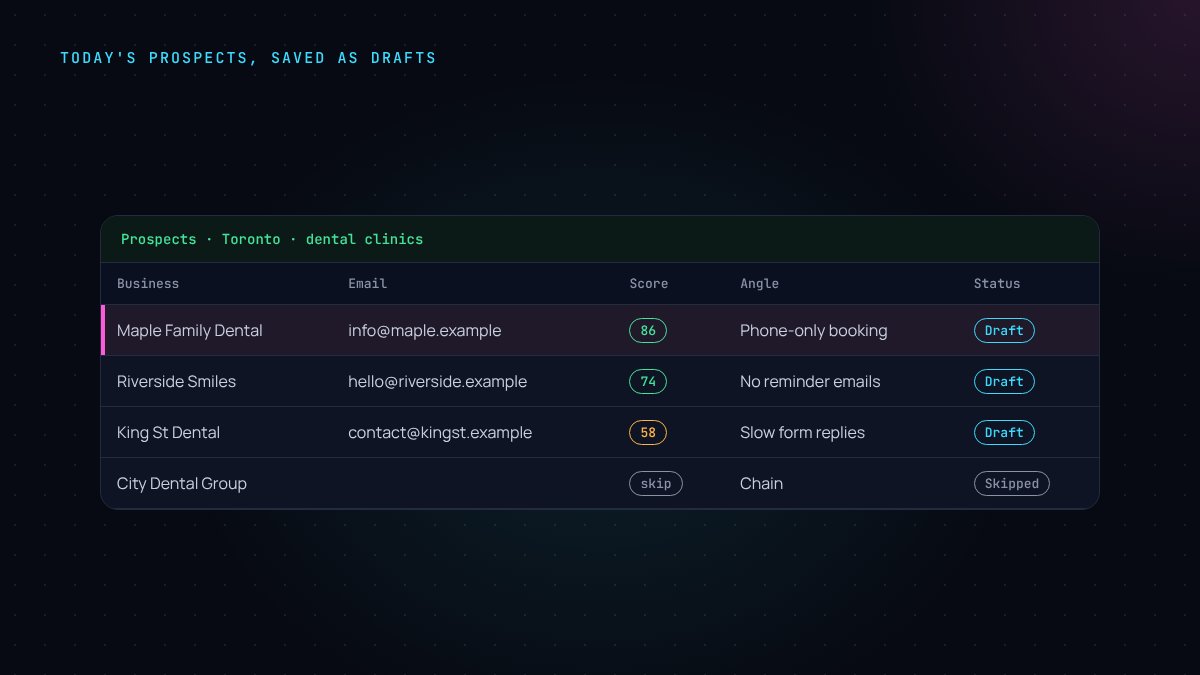
- AI scores the fit and drafts a short first email using one real detail from their site.
- Save everything to Google Sheets as a draft and email you a digest, best prospects first.
You stay in control: nothing is sent automatically. You read the drafts, edit what you like, and send the good ones yourself.
Ready-made template
AI Local Lead Hunter
Every weekday it finds businesses in your niche on OpenStreetMap, reads their websites for a contact email, scores the fit with AI and writes a personal first email for each. Saved to Google Sheets as drafts. You approve and send.
What to do with the list
Contact a handful a day, not hundreds at once. Track every reply in the same sheet (Status, Sent On, Follow-up On) so it becomes a simple pipeline. When someone replies with interest, move fast: see replying to leads faster and using Google Sheets as a simple CRM.
Frequently asked questions
Where can I find local business leads for free?
OpenStreetMap lists millions of businesses by type and location, often with a website, and can be searched free through the Overpass API. Local directories, trade associations and your own network are other free sources.
Is it legal to email local businesses?
It depends on the country. Many places allow contacting businesses at their public business address if you identify yourself, include your address, offer an easy opt-out and stop when asked. Check the rules that apply to you and your recipients.
How do I find a business's email address?
Look on their own website: the footer, a mailto link or the contact page. Prefer an email on their own domain and never guess addresses.
Can n8n find leads automatically?
Yes. An n8n workflow can search OpenStreetMap for a niche and city, read each website for an email, skip duplicates, score the fit with AI and save drafts to Google Sheets.
What is the best free lead source for local businesses?
OpenStreetMap through the Overpass API, because it is free, needs no key and can be automated. Use Google Maps only to check businesses by hand.
How many leads should I contact per day?
Start with five to fifteen personal emails a day. Small volumes keep each message personal and protect your email domain.
Templates for this job
Want it built around your exact tools? Custom n8n workflows from $150.