Customers · Guide
How to Sort Customer Feedback Automatically with AI
Quick answer
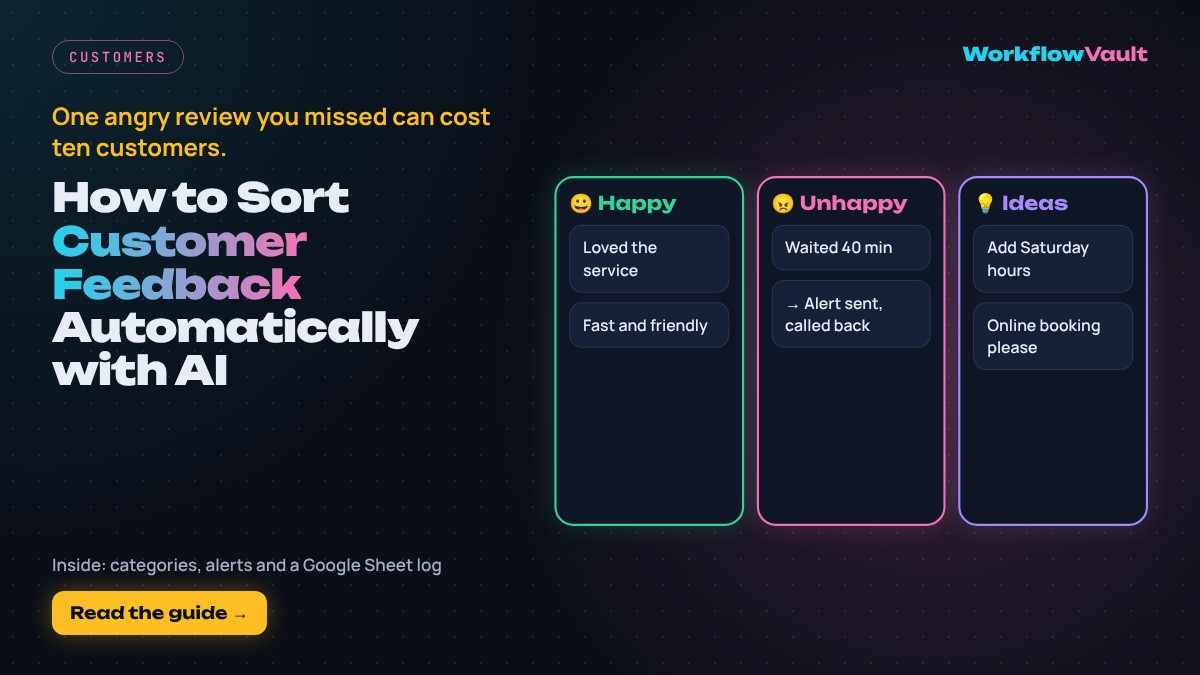
Collect feedback through one form or webhook, have AI score each message for sentiment, urgency and category and write a one-line summary, log everything to a Google Sheet, and send yourself an alert only for negative, urgent or low-rated feedback, ideally with a suggested reply attached.
Most customer feedback can wait until Friday. A few messages cannot: the customer who was double-charged, the one threatening a one-star review, the safety complaint. The problem is that they all arrive in the same place, and the urgent one is easy to miss among dozens of "great service, thanks!" notes.
AI is now good enough to do the first read for you. Here is how to set up a simple feedback triage that sorts everything and taps you on the shoulder only when it matters.
What "triage" means for feedback
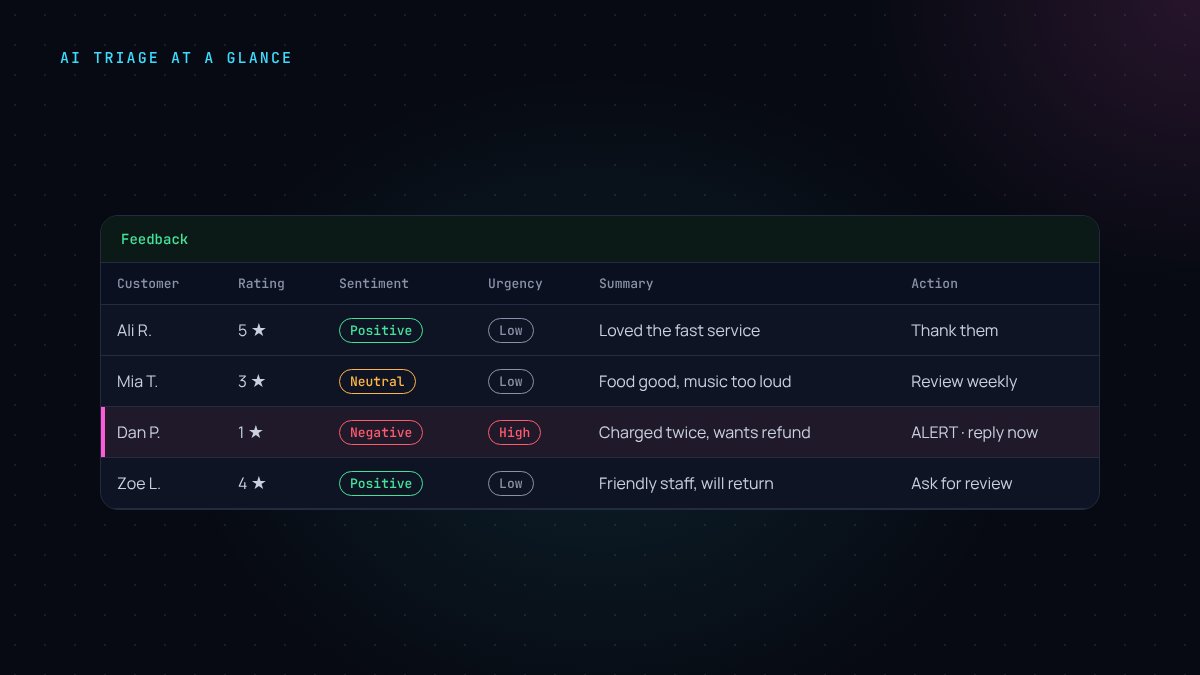
Borrowed from hospitals, triage means sorting by urgency before acting. For feedback, each message gets:
- Sentiment: positive, neutral or negative.
- Urgency: high (refunds, threats of a bad review, safety, legal), medium or low.
- Category: from your own list, such as Service, Price, Staff or Delivery.
- A one-line summary and next action, so you know what to do without reading the whole message.
Doing this by hand is fine for five messages a week. At fifty, it becomes the job nobody gets to.
Why AI is good at this
Older sentiment tools counted words like "bad" or "love" and were easily fooled by sarcasm or mixed reviews. Modern language models read feedback the way a person does: "The food was lovely but we waited 50 minutes and nobody apologised" is correctly read as a negative service issue with a positive note about food. They can also follow your category list and write a calm, specific reply draft.
AI is not perfect, so a good setup still logs every item and lets you review the sheet. The point is that you no longer have to read everything to find the one that needs you.
Only alert on what matters
If every piece of feedback pings your phone, you will mute the alerts within a week. Set clear rules for an alert:
- Sentiment is negative, or
- Urgency is high, or
- The star rating is at or below a threshold you choose, for example 2 out of 5.
Everything else goes quietly into the sheet for your weekly review. That way an alert always means "look at this now".
Reply fast to unhappy customers
A quick, human reply often turns an unhappy customer around. When the alert email includes the customer's message, a summary and a suggested reply, answering takes a minute: read, adjust, send. Set the reply-to address on the alert to the customer's email and pressing Reply in your email app goes straight to them.
How to set it up with n8n and Google Sheets
- Collect feedback with an n8n form you share in receipts, emails or a QR code, or connect your own website form to a webhook.
- Clean the input: trim text, read the rating as a number, skip empty messages.
- Ask the AI for sentiment, urgency, category, summary, next action and a reply draft, in a fixed format.
- Check the answer. If the AI fails or returns something unreadable, still log the feedback and flag it for a manual check.
- Log to Google Sheets with a Status column you update yourself.
- Alert by email when the rules above match.
Ready-made template
Customer Feedback AI Triage
Ready-made form or website webhook, AI scoring and summaries, a reply draft, Google Sheets log and instant alerts for unhappy customers. Set up in about 10 minutes.
Turn feedback into decisions
Once a month, filter the sheet by category. If "Delivery" keeps showing up in negative feedback, that is where to spend your next improvement. The triage system is not only about putting out fires; over time it becomes the clearest picture you have of what customers think.
Frequently asked questions
Can AI do sentiment analysis on customer feedback?
Yes. Current language models read tone and context well, including mixed or sarcastic feedback, and can also assign urgency and categories you define.
What is feedback triage?
Sorting each piece of feedback by sentiment, urgency and topic so the urgent items get handled first and the rest are reviewed in batches.
Can I analyse Google reviews this way?
Yes, if the reviews reach the workflow, for example through a webhook or an extra connector step. The template works with any source that can send the text.
What does it cost to run?
Very little. Gemini's free tier covers most small businesses, and Google Sheets and n8n's self-hosted version are free.
Templates for this job
Want it built around your exact tools? Custom n8n workflows from $150.