Leads · Guide
How to Qualify Leads Automatically with AI (Hot, Warm or Cold)
Quick answer
Send every form enquiry to a workflow that asks AI to score it 0 to 100 on fit, need, budget and timing, label it hot, warm, cold or spam, reply to the lead within a minute, save it to a sheet, alert you about hot leads, and follow up on day 2 and day 5 until the lead replies.
Not every enquiry deserves the same reply. "Just looking for prices" and "we need this live by next Friday and the budget is approved" should not wait in the same queue. But reading and sorting every lead by hand is exactly the job that slips when you are busy, and the best leads are often the ones that go cold while they wait.
Lead qualification with AI fixes the sorting. You still decide what a good lead looks like; the workflow applies it to every enquiry, instantly, at any hour.
What "qualifying" a lead means
Qualifying means deciding how likely an enquiry is to become a customer, and how soon. Most frameworks boil down to four questions:
| Signal | Question | Clues in the enquiry |
|---|---|---|
| Fit | Is this the kind of customer we serve? | Type of business, location, size, service asked about |
| Need | Do they have a real problem we solve? | A specific job described, not a general question |
| Budget | Can they pay for it? | Budget mentioned, size of the job |
| Timing | When do they want it? | Dates, "urgent", "this month", "just researching" |
Why AI is good at this
Enquiries are messy free text. A rule like "if budget field > 1000" breaks the moment someone writes "around two grand" in the message box. A language model reads the whole message like a person would and can return a structured answer: a score, a label and one line explaining why. That explanation matters: it lets you check the AI's reasoning in seconds.
A simple scoring scale
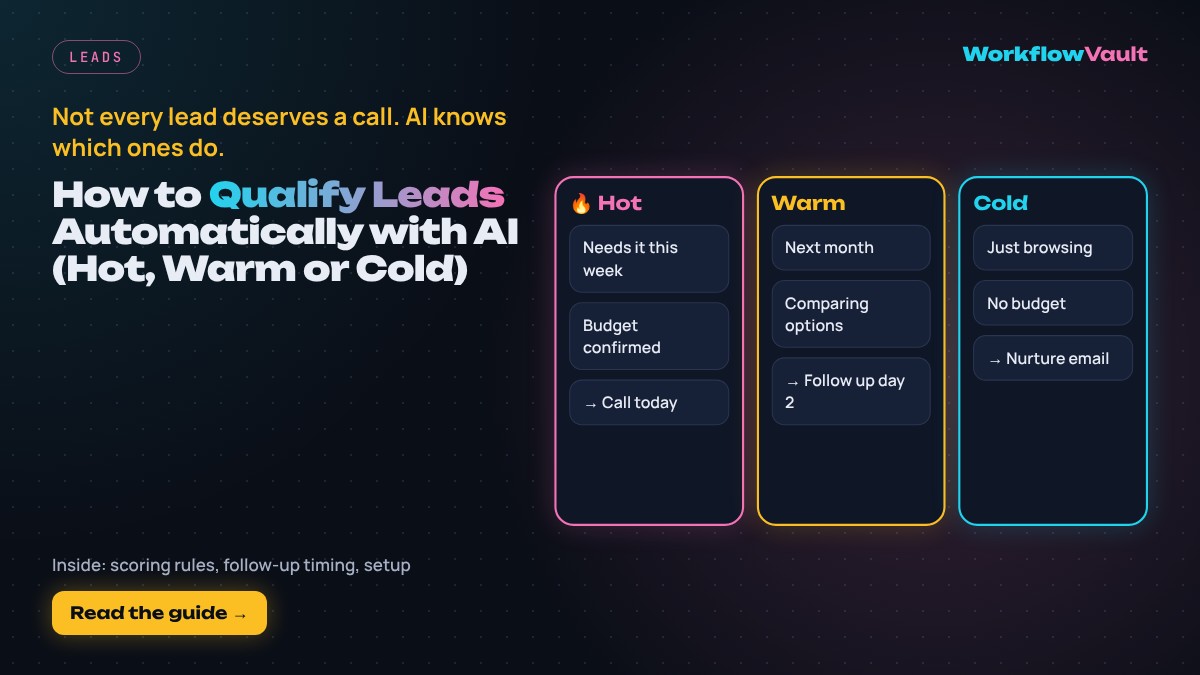
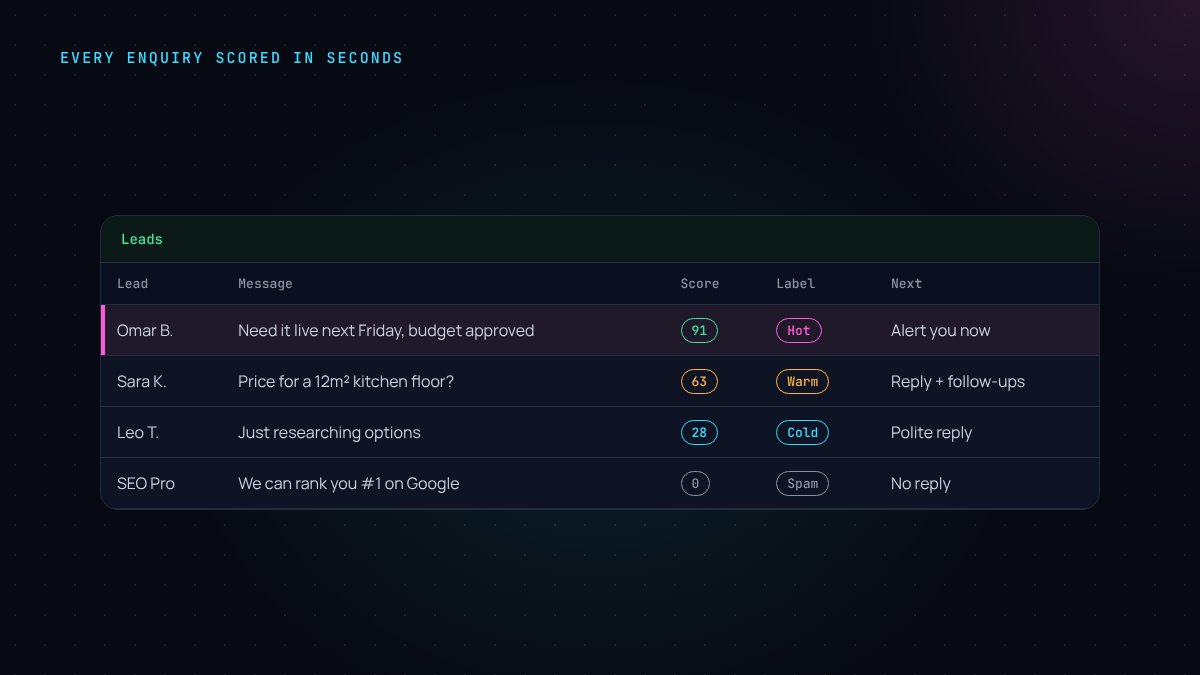
- Hot (70 to 100): clear need, good fit, timing soon. Alert yourself straight away.
- Warm (40 to 69): real interest, something missing. Reply fast, follow up.
- Cold (1 to 39): early research or a poor fit. Polite reply, light follow-up.
- Spam (0): sales pitches, bots, nonsense. No reply.
Write your own description of an ideal customer into the AI prompt (services, area, minimum job size). The more specific it is, the better the scores.
Reply to everyone, fast
Scoring is not a reason to ignore cold leads. Everyone who fills in your form should get a personal first reply within minutes. The score changes what happens next: hot leads get your attention today, warm and cold leads get a helpful reply and automatic follow-ups. Our guide to replying to leads faster with AI covers the reply itself.
Follow-ups that stop on reply
Many leads do not answer the first message. A follow-up on day 2 and another on day 5, in the same email thread, catches people who were busy. The key rule: the moment the lead replies, every automatic follow-up stops and you are told. Nobody wants a "just checking in" email after they have already answered.
The workflow, step by step
- Form or webhook receives the enquiry from your site.
- AI qualifies it: score, label and a one-line reason.
- First reply from your own Gmail within a minute, optionally with a booking link.
- Save to Google Sheets as a simple CRM; hot leads also email you.
- Daily follow-ups on day 2 and day 5 for anyone who has not replied.
- Stop on reply and mark the lead so you can take over.
Ready-made template
AI Lead Qualifier
Scores every new enquiry with AI as hot, warm, cold or spam, replies within a minute from your Gmail, follows up on day 2 and day 5 in the same thread and stops the moment the lead replies. Every lead lands in a Google Sheets CRM.
Keep a human in the loop
- Read the AI's reason for the first few weeks and adjust your prompt where it is wrong.
- Never let AI promise prices, dates or discounts in a reply. Keep those to you.
- Review spam labels now and then, so a real lead is never lost.
Want your leads in a proper CRM instead of a sheet? See Google Sheets as a CRM, and when to move to HubSpot.
Frequently asked questions
Can AI qualify sales leads?
Yes. A language model can read a free-text enquiry and score it on fit, need, budget and timing, returning a score, a label and a short reason you can check.
What is a good lead score?
Use a simple 0 to 100 scale: 70 and above hot, 40 to 69 warm, below 40 cold, and 0 for spam. Tune the thresholds to your business.
Should cold leads still get a reply?
Yes. Everyone gets a quick, polite first reply. The score decides how much of your own time a lead gets, not whether they hear back.
When should automatic follow-ups stop?
The moment the lead replies, books or asks you to stop.
Templates for this job
Want it built around your exact tools? Custom n8n workflows from $150.