Getting started · Guide
12 Small Business Tasks You Should Automate First (With Examples)
Quick answer
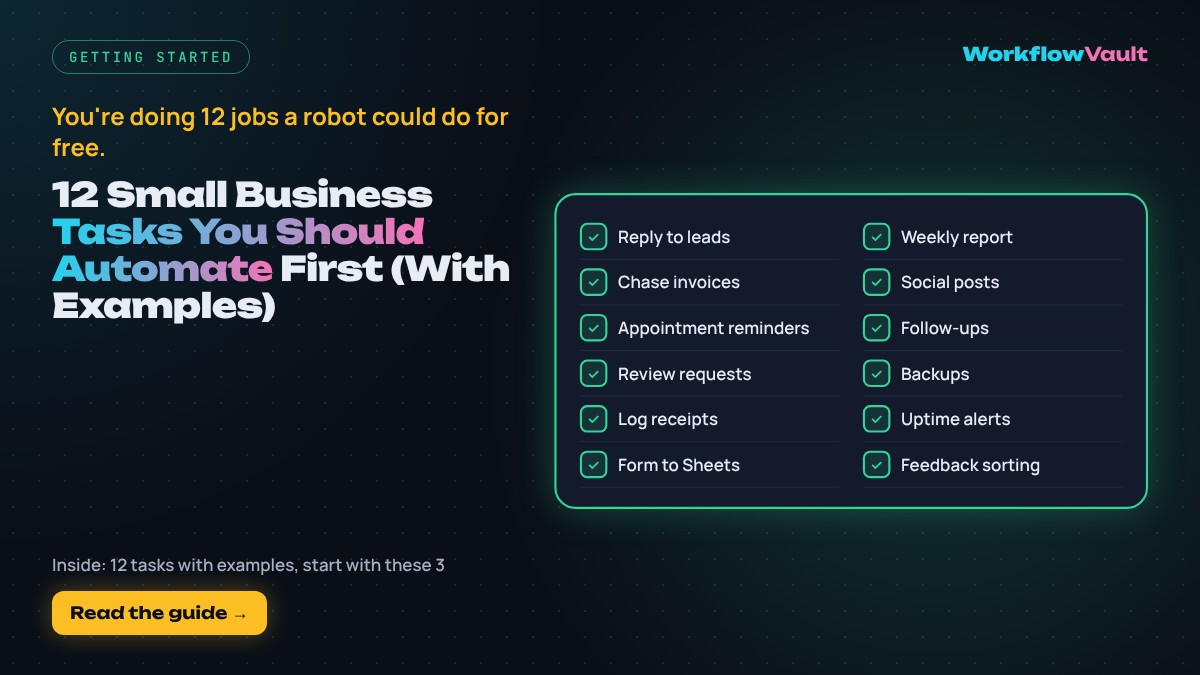
Start with tasks that are repetitive, happen every week and follow clear rules: replying to new leads, chasing unpaid invoices, appointment reminders, review requests, saving form entries, logging receipts and weekly reports. These save hours each week and directly affect revenue, so they pay back fastest.
"Automate your business" sounds great until you sit down and wonder where to start. The best first automations are not the clever ones; they are the boring jobs you do every week that follow the same steps every time. Automate those and you get hours back, fewer mistakes and, often, more revenue.
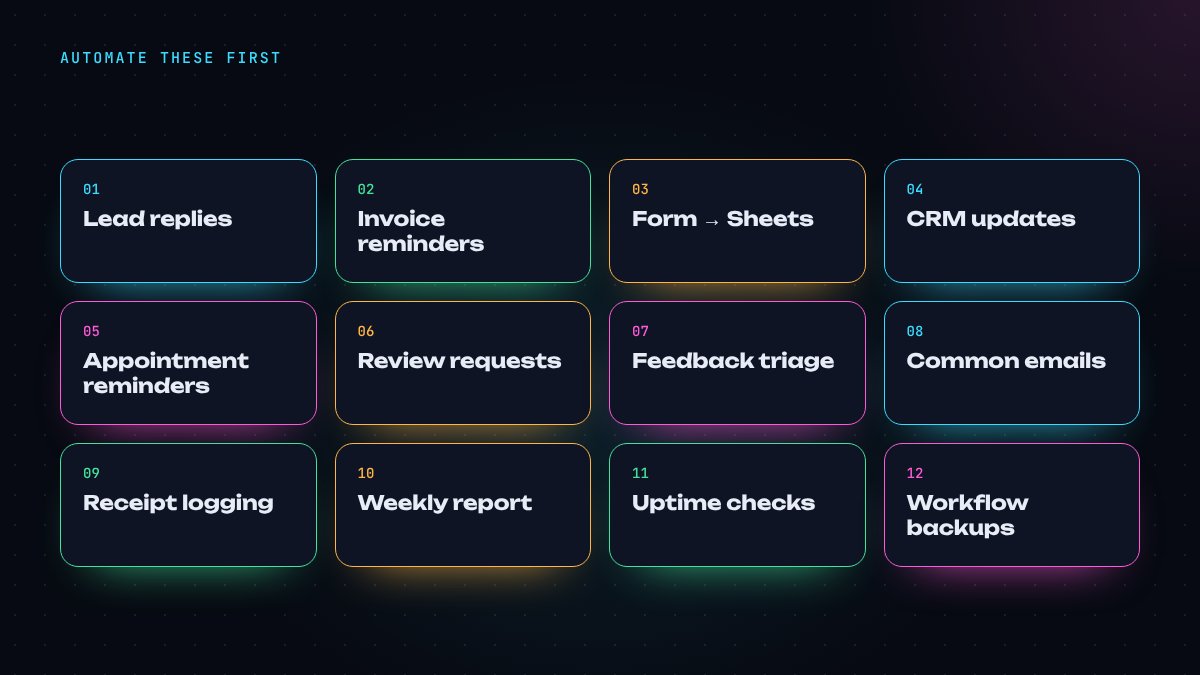
Here are twelve tasks worth automating first, roughly in order of how quickly they pay off.
How to pick what to automate
A task is a good candidate when it is repetitive (happens weekly or daily), rule-based (you could write the steps on a sticky note), and costly when forgotten (a missed lead, an unpaid invoice, a no-show). Tasks that need judgement every time, like negotiating with a client, are better left to you, though AI can still prepare a draft.
Money and sales
1. Replying to new leads
The first business to reply usually wins the job. An automation can read each enquiry, log it in a sheet and write a personal reply draft in your tone, so answering takes one click. How to reply to leads faster with AI.
2. Chasing unpaid invoices
Polite reminders before and after the due date, getting firmer over time and stopping when the client pays or replies. How to automate invoice reminders.
3. Saving form submissions
Every contact or quote form entry saved to Google Sheets with an instant alert to your phone, so nothing sits unread in an inbox. How to send form entries to Google Sheets.
4. Adding leads to your CRM
If you use a CRM like HubSpot, new leads can create a contact and deal automatically instead of being typed in by hand.
Customers
5. Appointment reminders
Emails 24 hours and 2 hours before each booking in Google Calendar cut no-shows and give clients an easy way to reschedule. How to send automatic appointment reminders.
6. Asking for Google reviews
A thank-you email with your review link when a job is done, plus one gentle reminder. Reviews are one of the strongest signals for local search. How to get more Google reviews automatically.
7. Sorting customer feedback
AI reads each comment, scores sentiment and urgency and alerts you only when a customer is unhappy, with a suggested reply. How to sort feedback with AI.
8. Answering common emails
Opening hours, prices, "do you deliver to…?" AI can draft replies to repeat questions so you only check and send.
Admin and operations
9. Logging receipts and invoices
Receipts arriving by email read by AI and logged to a sheet with vendor, date, amount and tax, ready for your bookkeeper. How to log receipts automatically.
10. Weekly business report
Every Monday, a short email with last week's leads, sales and what needs attention, pulled from your sheets and summarised by AI.
11. Website uptime checks
Know your website or booking page is down before customers tell you. How to monitor your website for free.
12. Backups of your automations
Once you rely on automations, back them up. A nightly copy to GitHub and an alert when something fails. How to back up n8n workflows.
Ready-made workflows
Most of this list is already built
WorkflowVault templates cover lead replies, invoice chasing, appointment reminders, feedback, receipts, form alerts, uptime and backups. Import into n8n, connect your accounts and run.
How to start without getting overwhelmed
- Pick one task from the list that costs you money when it slips. For most businesses that is lead replies or invoices.
- Write down the steps you do today, in order.
- Automate that one with a template or a simple workflow, and keep a human check on anything that talks to customers.
- Run it for two weeks, fix what feels off, then move to the next task.
One working automation a month adds up quickly. By the end of a quarter, the weekly admin that used to fill a whole afternoon mostly takes care of itself.
Frequently asked questions
What should a small business automate first?
Start with repetitive, rule-based tasks that cost money when forgotten: replying to leads, chasing invoices, appointment reminders and saving form submissions.
What tools do I need to automate my business?
An automation tool such as n8n, Zapier or Make, plus the apps you already use, such as Gmail, Google Sheets and Google Calendar. AI models like Gemini can handle reading and writing text.
Is business automation expensive?
It does not have to be. Self-hosted n8n is free, Gemini has a free tier, and ready-made templates cost far less than a custom build.
Will automation replace my staff?
For a small business it mostly removes repetitive admin so you and your team can spend time on customers and the actual work.
Templates for this job
Want it built around your exact tools? Custom n8n workflows from $150.